This is applicable to Apple pay and Google pay transactions.
The way the process for the forms work is:
- Payments2Us Checkout form (users enters details)
- We create the Payment Txn - status of "Confirmation" - includes details entered
- We pass over to the Windcave PxPay form
- User enters payment details
- [THIS STEP SHOULD NOT HAPPEN, but is currently setup] User sees Windcave PxPay screen.
- Windcave returns to Payments2Us checkout screen.
- Payments2Us checks Windcave to confirm the payment details. Then updates the Payment Txn to a status of "Payment Complete"
If step 6 of this setup procedure has not been implemented, the transaction created will be in Confirmation status.
TIP: Do not close the screen/browser after step 4a: What usually happens is that the user completes steps 1, 4a and they see they have paid and all is okay, then they close the screen/browser and that stops steps 5 and 6. So, Salesforce does NOT get updated.
Solution will be to complete Step 6 in the setup link
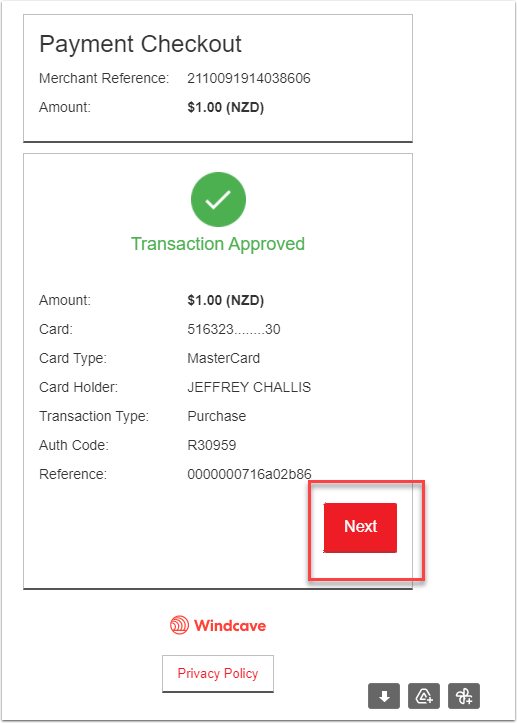
The "Next" button confirms that the transaction was initiated from Payments2Us.