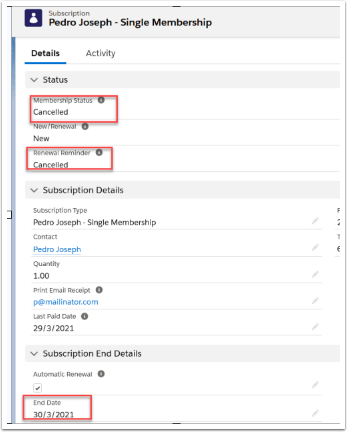
To Cancel a Membership follow the steps :
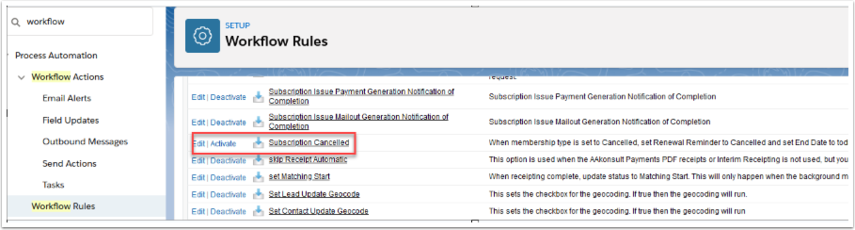
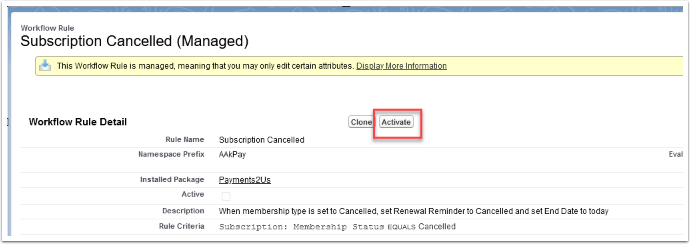
1. Activate the workflow - "Subscription Cancelled" .
Workflows have been migrated to Flows
From Version 11.1, new Flows have been introduced as a replacement for Workflows, in line with Salesforce’s policies. We recommend using the Flows for all new implementations.
Equivalent Flows are available with the same names as the workflows (prefixed with “Payments2Us”).
Open Setup->Search Workflows->Find "Subscription Cancelled" by doing a Alphabetical look-up.
2. Go to the Subscription Record you want to cancel and set the Membership Status field to Cancelled.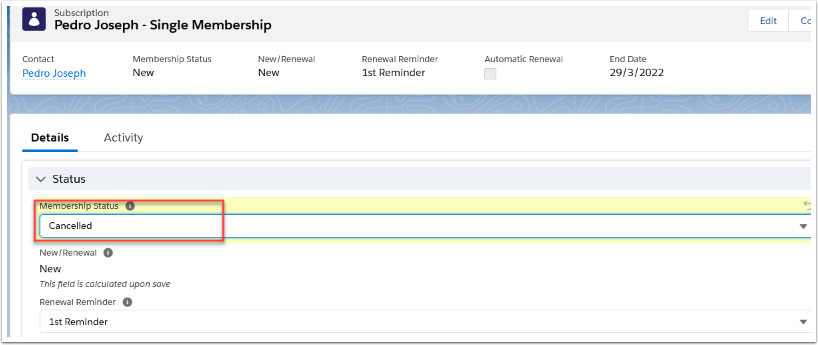
This will automatically set the Renewal Reminder field to "Cancelled" and End Date to "TODAY's Date.